
M17 Series Servomotors
A motor, and everythingthat usually surrounds it.
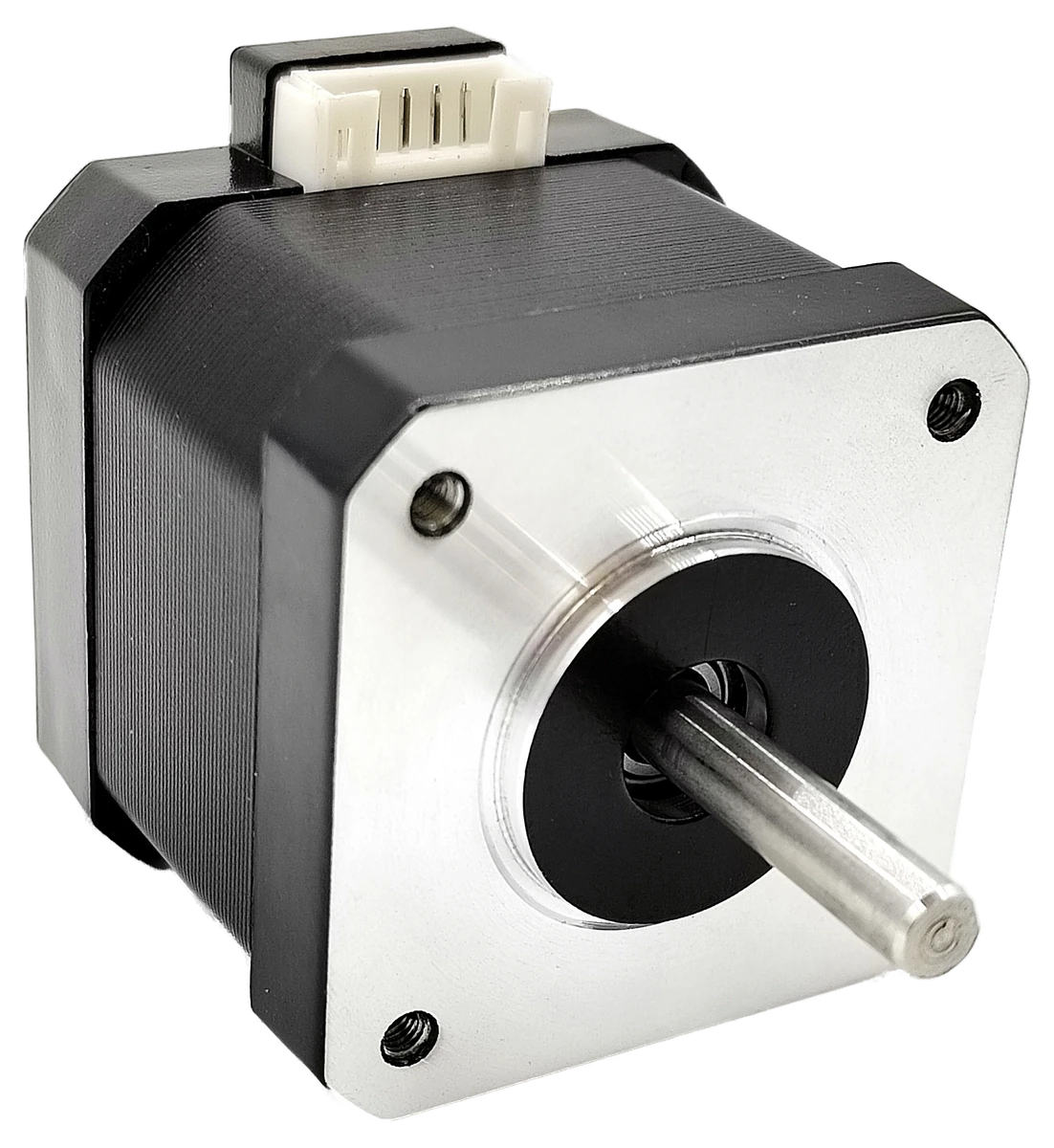
Motor, driver, motion controller and encoder — gathered into a single NEMA 17 body. You speak in degrees and seconds; it resolves the rest.
The integration
Four systems.
One housing.
A conventional axis is four purchases: a motor, a driver board, a controller and an encoder — then the brackets, the wiring and the tuning that hold them together. The M17 arrives as one part, already talking to itself.
Motor
Compact, with no protrusions — nearly the size of a NEMA 17 stepper of the same specification.
Driver
On board, with integrated over-current, over-voltage and over-temperature protection.
Motion controller
Trapezoid profiles, multiple operation modes and self-calibration, executed inside the motor.
Encoder
Closed-loop position feedback into a PID control loop running at 32 kHz.
Same torque-to-weight ratio as an equivalent stepper — and much more power efficient in closed-loop control.
One bus
One bus.
Every axis.
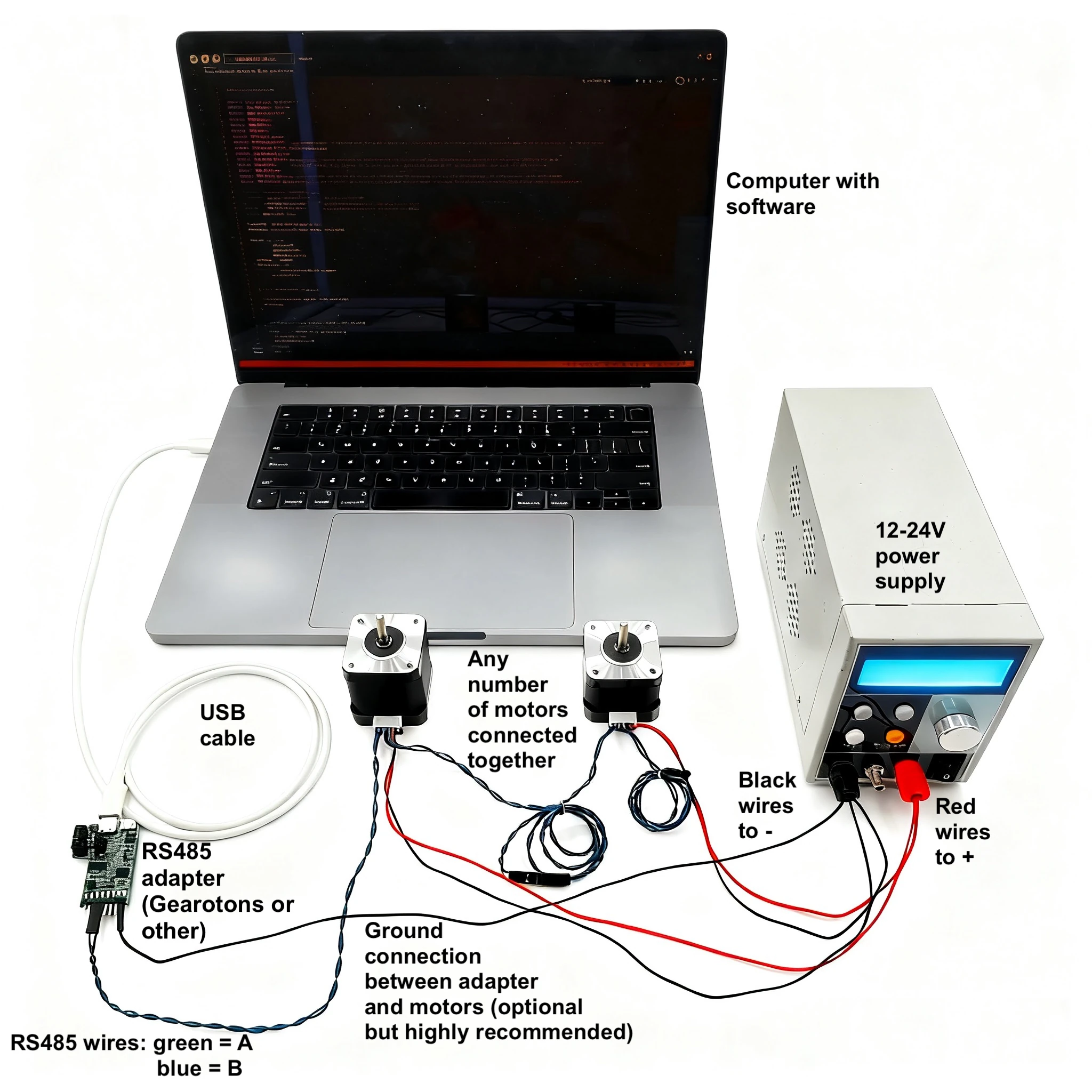
Motors daisy-chain along a single RS-485 pair and answer at one connection point. The tenth motor connects exactly like the first.
Why M17
Fewer parts.
Better motion.
Every decision in this motor removes something you would otherwise have to buy, wire or write.
Truly integrated
Motor, motor driver, motion control system and encoder in a single unit — compact, with no protrusions.
One interface, every motor
Control any number of motors from one simple controller over a single RS-485 interface.
High-level commands
Say “Enable MOSFETs” and “Trapezoid move”. No timing-critical DIR/STEP pulse generation on your side.
Closed loop at 32 kHz
High-precision closed-loop control with a built-in encoder and a PID control loop running at 32 kHz.
Efficient by design
Much more power efficient in closed-loop control than a conventional stepper, at the same torque-to-weight ratio.
Protected
Integrated over-current, over-voltage and over-temperature protection, with comprehensive error handling.
Familiar mounting, flexible power
Standardised NEMA 17 mounting dimensions, a wide 12–24 V range, and a maximum speed of 560 RPM.
Works with what you own
Raspberry Pi, Arduino, ESP32, Mac and PC — all it takes is a low-cost RS485 adapter.
Documentation for humans and AI
Excellent documentation and tutorials to get running fast — AI-friendly, so you can point your favourite assistant at it and let it do the work.
Four models
Four heights.
One language.
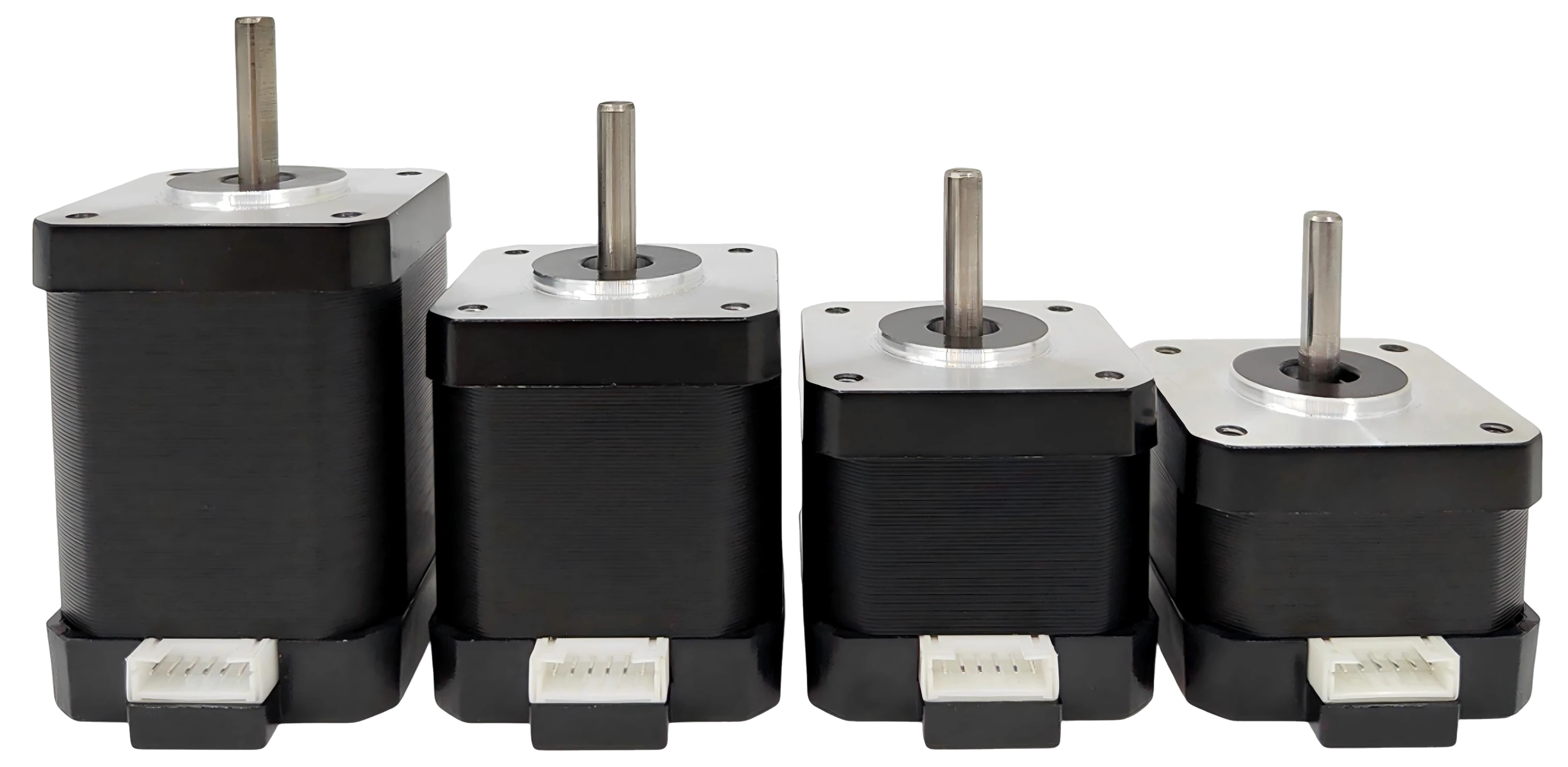
M17‑60, M17‑48, M17‑40 and M17‑34 share a footprint, a bus and a command set. Only the stack gets shorter and the torque steps down — 0.65 to 0.28 N·m — so you match the machine, and the budget, without rewriting a line.
M17‑60
0.65 N·m
Rated torque
- 59.7 mm height
- 470 g weight
- 26.4 W rated power
M17‑48
0.55 N·m
Rated torque
- 48.7 mm height
- 360 g weight
- 26.4 W rated power
M17‑40
0.42 N·m
Rated torque
- 40.1 mm height
- 285 g weight
- 26.4 W rated power
M17‑34
0.28 N·m
Rated torque
- 33.5 mm height
- 210 g weight
- 24.0 W rated power
| Parameter | M17-60 | M17-48 | M17-40 | M17-34 |
|---|---|---|---|---|
| Operating voltage | 12–24 V | 12–24 V | 12–24 V | 12–24 V |
| Rated torque | 0.65 N·m | 0.55 N·m | 0.42 N·m | 0.28 N·m |
| Maximum speed | 560 RPM | 560 RPM | 560 RPM | 560 RPM |
| Maximum current | 1.1 A | 1.1 A | 1.1 A | 1.0 A |
| Rated power | 26.4 W | 26.4 W | 26.4 W | 24.0 W |
Scroll the table sideways to compare all four models.
| Parameter | M17-60 | M17-48 | M17-40 | M17-34 |
|---|---|---|---|---|
| Dimensions (L×W) | 42.2 × 42.2 mm | 42.2 × 42.2 mm | 42.2 × 42.2 mm | 42.2 × 42.2 mm |
| Height | 59.7 mm | 48.7 mm | 40.1 mm | 33.5 mm |
| Shaft length | 20.6 mm | 20.6 mm | 20.6 mm | 20.6 mm |
| Shaft diameter | 5 mm | 5 mm | 5 mm | 5 mm |
| Weight | 470 g | 360 g | 285 g | 210 g |
| Protection class | IP20 | IP20 | IP20 | IP20 |
Scroll the table sideways to compare all four models.
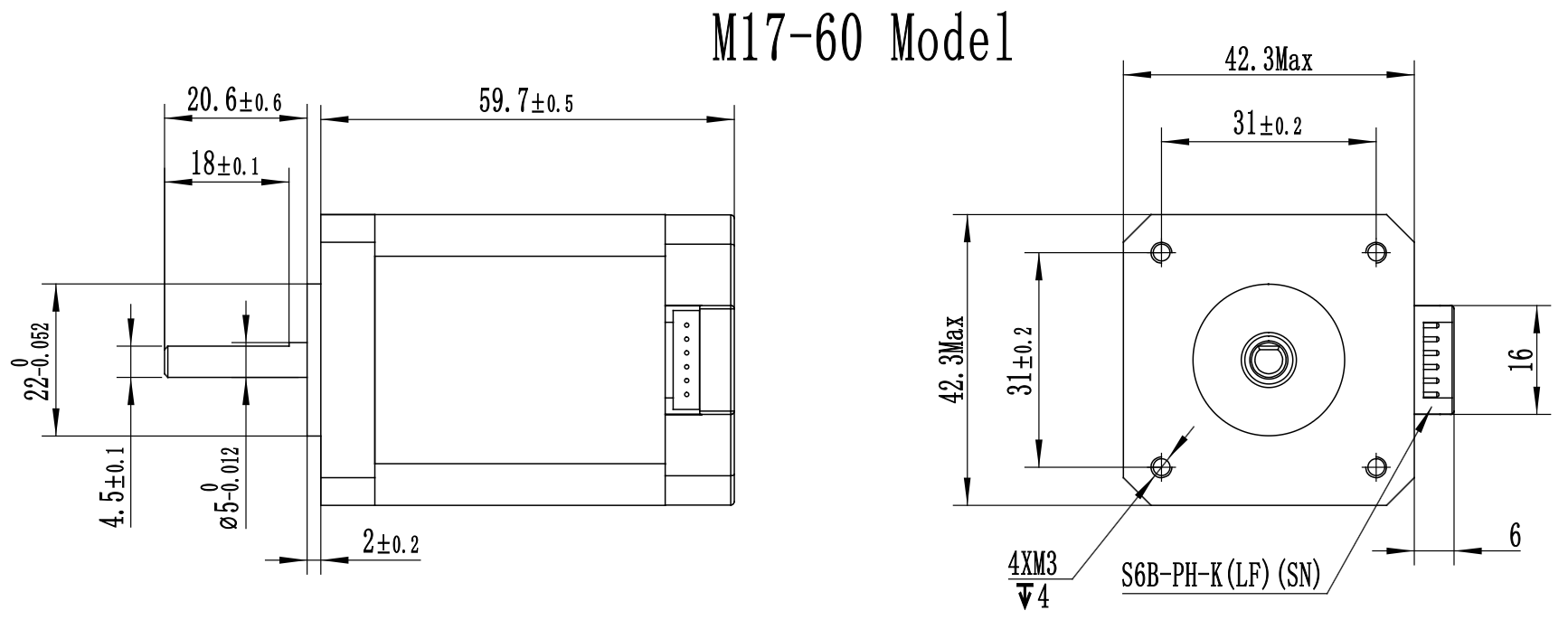
Dimension drawings
Scroll a drawing sideways to read the dimensions.
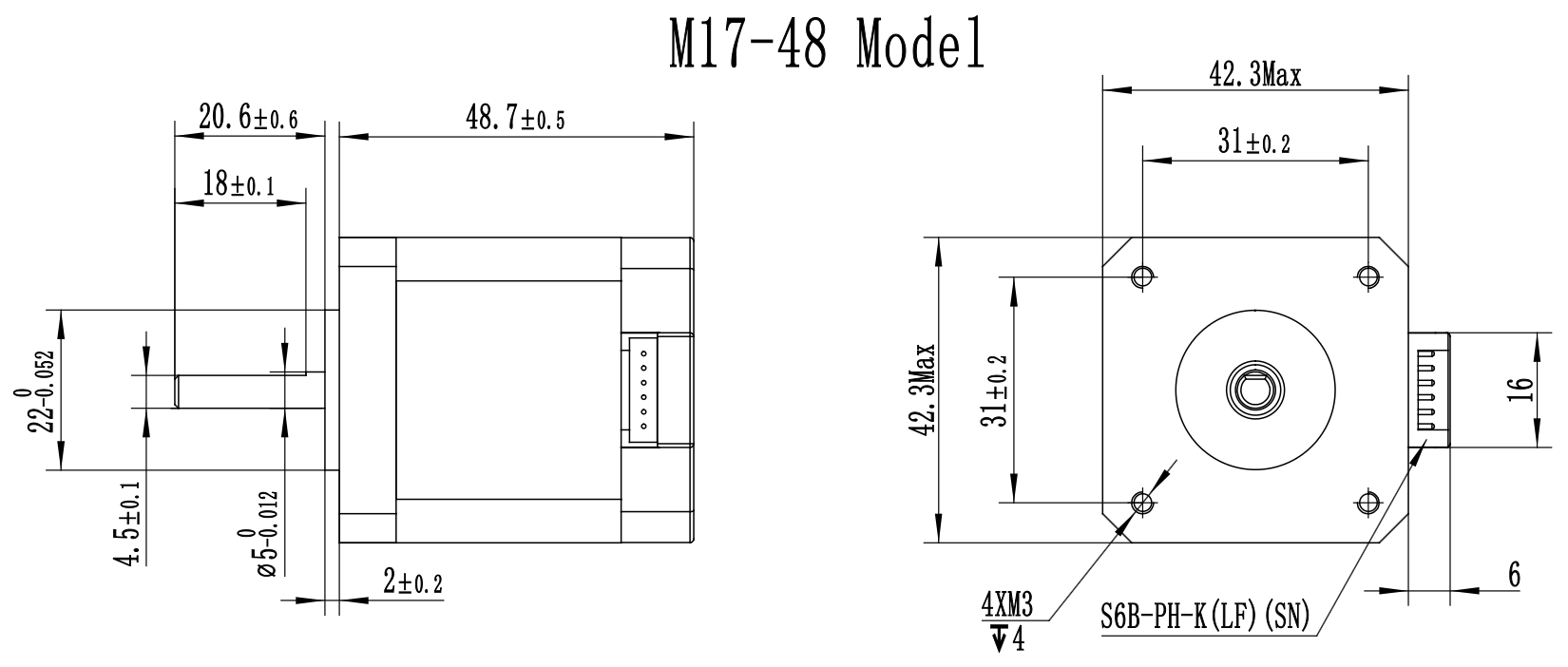
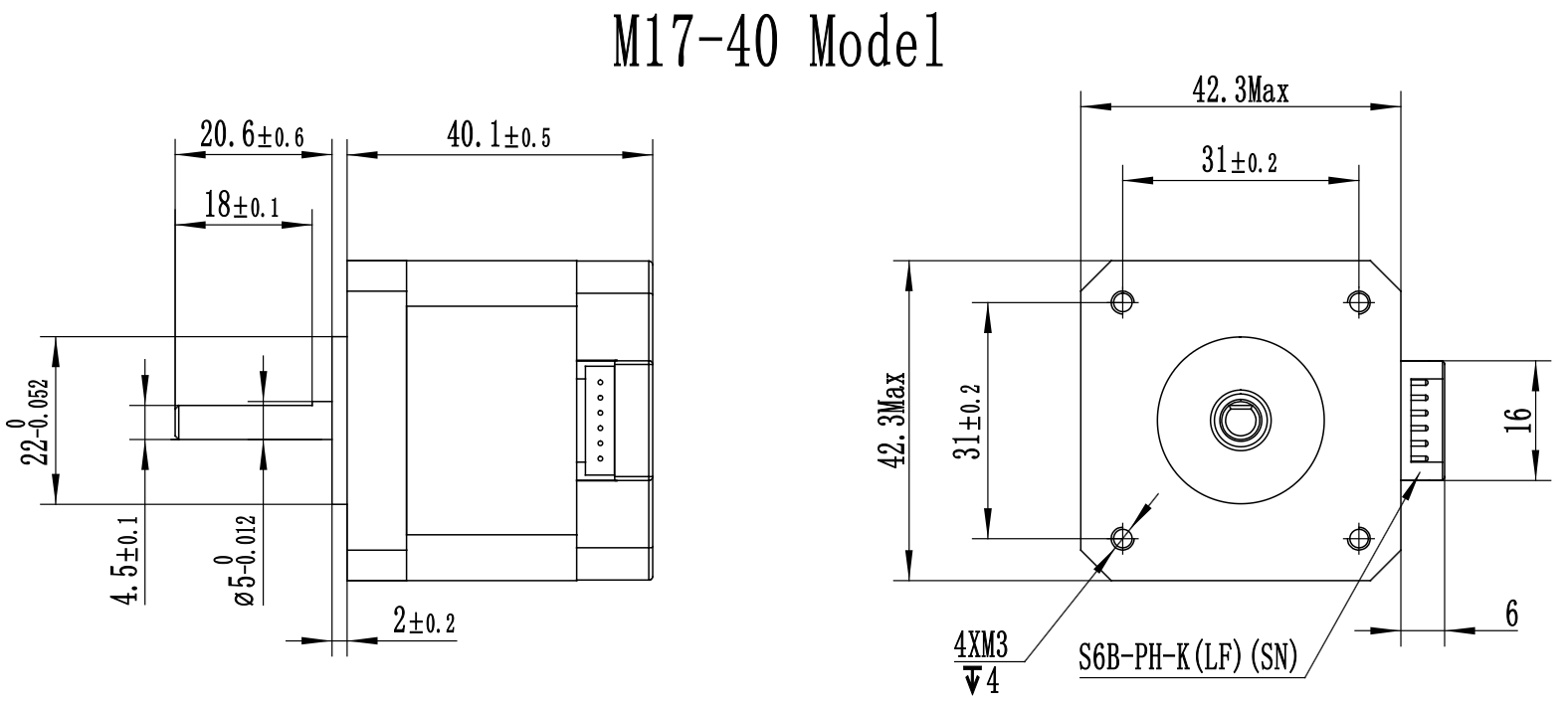
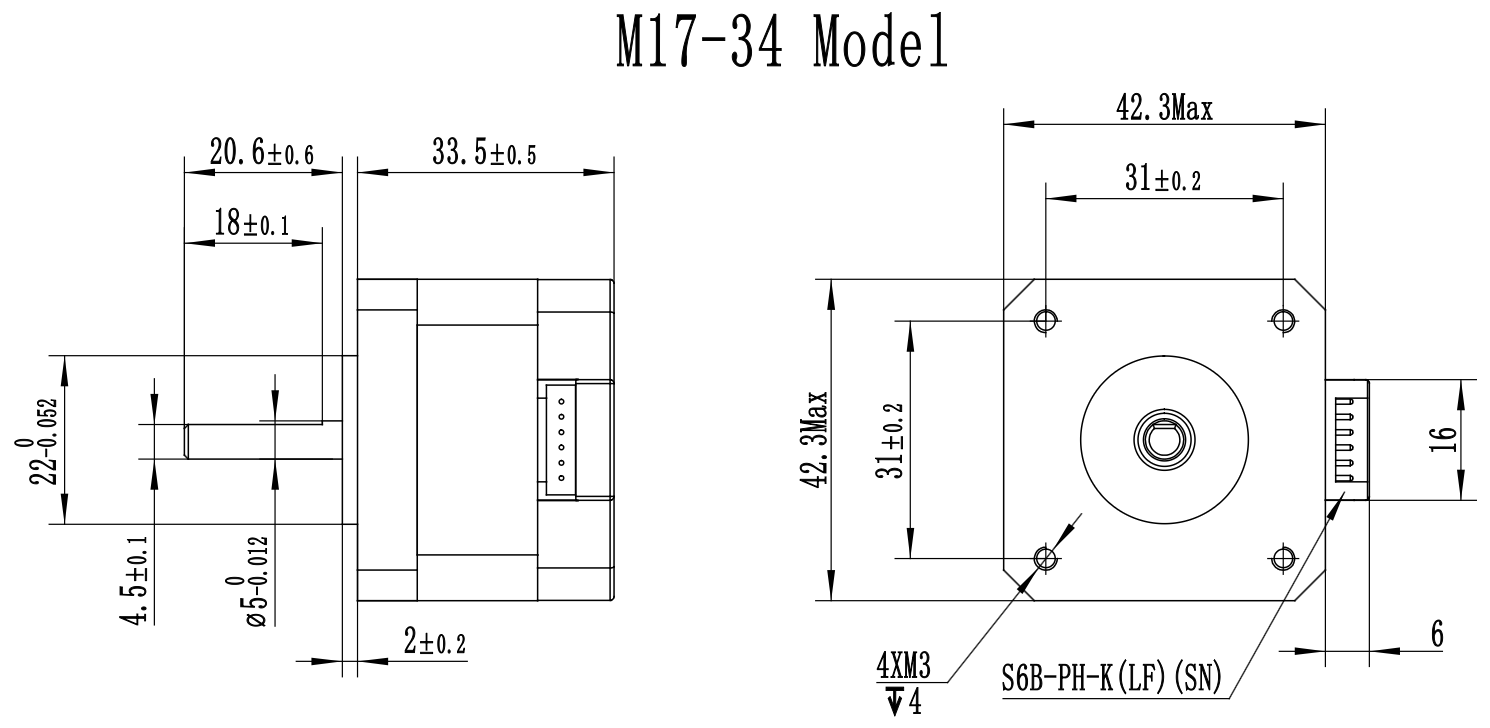
Operating conditions
Simple limits.
Clearly stated.
- Operating temperature
- 0 °C to +80 °C
- Storage temperature
- −20 °C to +60 °C
- Humidity range
- 20 % to 80 % RH (non-condensing)
- Installation environment
- Indoor use only
Getting started
Install, import,
move.
Two first-party libraries, one command each to install, and the same three calls in either language. The libraries speak the protocol so you can write intent.
import servomotor
from servomotor import M3

servomotor.open_serial_port()
motor = M3("X", time_unit="seconds",
                position_unit="degrees")
motor.system_reset()
motor.enable_mosfets()
motor.trapezoid_move(360, 2)  # one revolution in 2 s
#include <Servomotor.h>

// alias 'X' on the RS485 UART
Servomotor motor('X', Serial1);

void setup() {
  motor.setPositionUnit(PositionUnit::SHAFT_ROTATIONS);
  motor.setTimeUnit(TimeUnit::SECONDS);

  motor.systemReset();
  delay(1500);  // let the bootloader window pass
  motor.enableMosfets();
  motor.trapezoidMove(1.0, 1.0);  // one rotation in 1 s
}

void loop() {}
pip3 install servomotor · Arduino IDE Library Manager: “Servomotor”
The getting-started guide
- Step-by-step setup instructions
- Detailed communication protocol documentation
- Programming examples and code snippets
- Description of error codes
- Troubleshooting tips and best practices
Unit system
Your units.
Not ours.
The motors work in integer internal units so the motion maths stays fast. The Python and Arduino libraries convert automatically — so you write degrees, or RPM, or milliamps, or whatever you already think in.
- Time
- secondsmillisecondsminutesmicrosecondstimesteps
- Position
- shaft rotationsdegreesradiansencoder counts
- Velocity
- rotations per secondRPMdegrees per secondradians per secondcounts per secondcounts per timestep
- Acceleration
- rotations per second²RPM per seconddegrees per second²radians per second²counts per second²counts per timestep²
- Current
- internal current unitsmilliampsamps
- Voltage
- voltsmillivolts
- Temperature
- celsiusfahrenheitkelvin
Communication protocol
One protocol.
Fully documented.
RS-485 at a fixed 230400 baud. Every motor is individually addressable — permanently, and then conveniently.
230400
Fixed baud rate64-bit
Factory unique address0–251
One-byte alias255
Broadcast aliasEvery motor carries a factory-assigned 64-bit unique address, so it can always be reached individually. Give it a one-byte alias to keep packets short. A comprehensive command set covers motion control, configuration and status monitoring — and firmware updates travel over the same RS-485 interface.
The living source of truth for every command the motor understands.
Indicators & controls
Two LEDs.
Two buttons.
The motor tells you what it is doing before you open a terminal — and will spin on its own, on request.
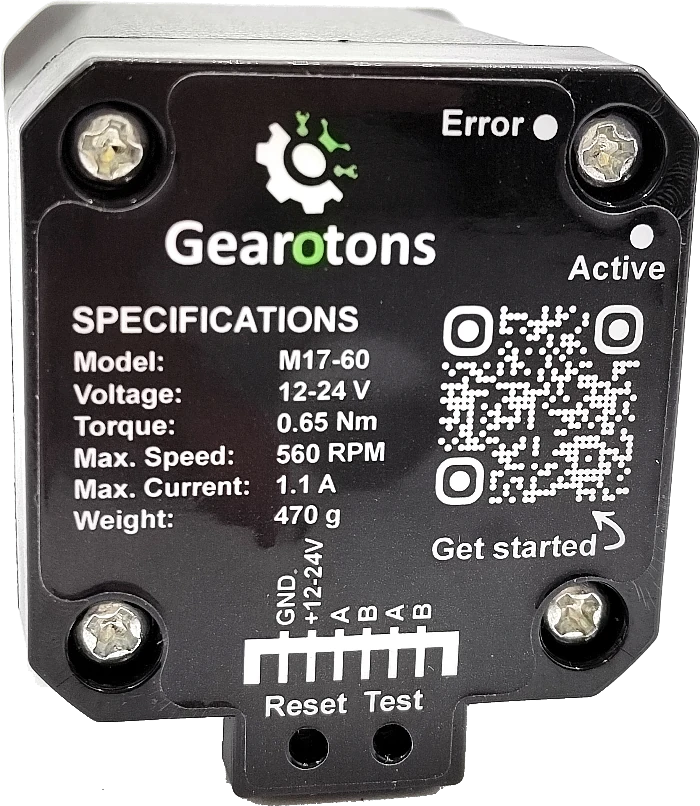
Status LEDs
- Green
- Flashes slowly as a heartbeat, and quickly when the bootloader is running rather than the application. It also lights briefly while a packet is being received, so it flickers with traffic on the bus.
- Red
- Flashes a certain number of times to indicate fatal error codes.
Reset & Test buttons
- Reset
- Restarts the microcontroller and returns all state to defaults.
- Test · brief press
- Spins the motor one way.
- Test · > 0.3 s, release
- Spins the motor the other way.
- Test · hold ≥ 2 s, release
- Enters closed-loop mode.
- Test · hold > 15 s, release
- Runs a self-calibration.
The motor spins during calibration and must be able to turn freely — remove any load first.
What you need
One cable.
One adapter.
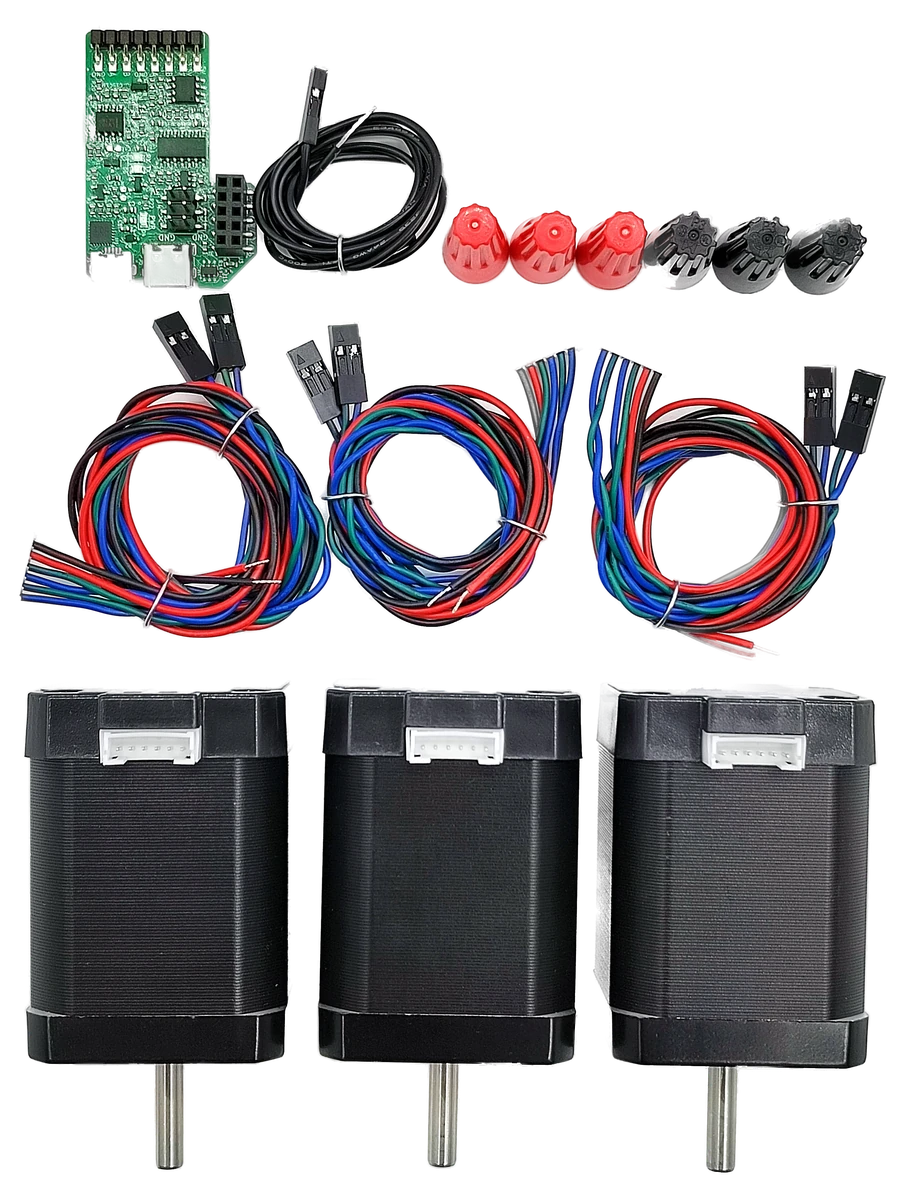
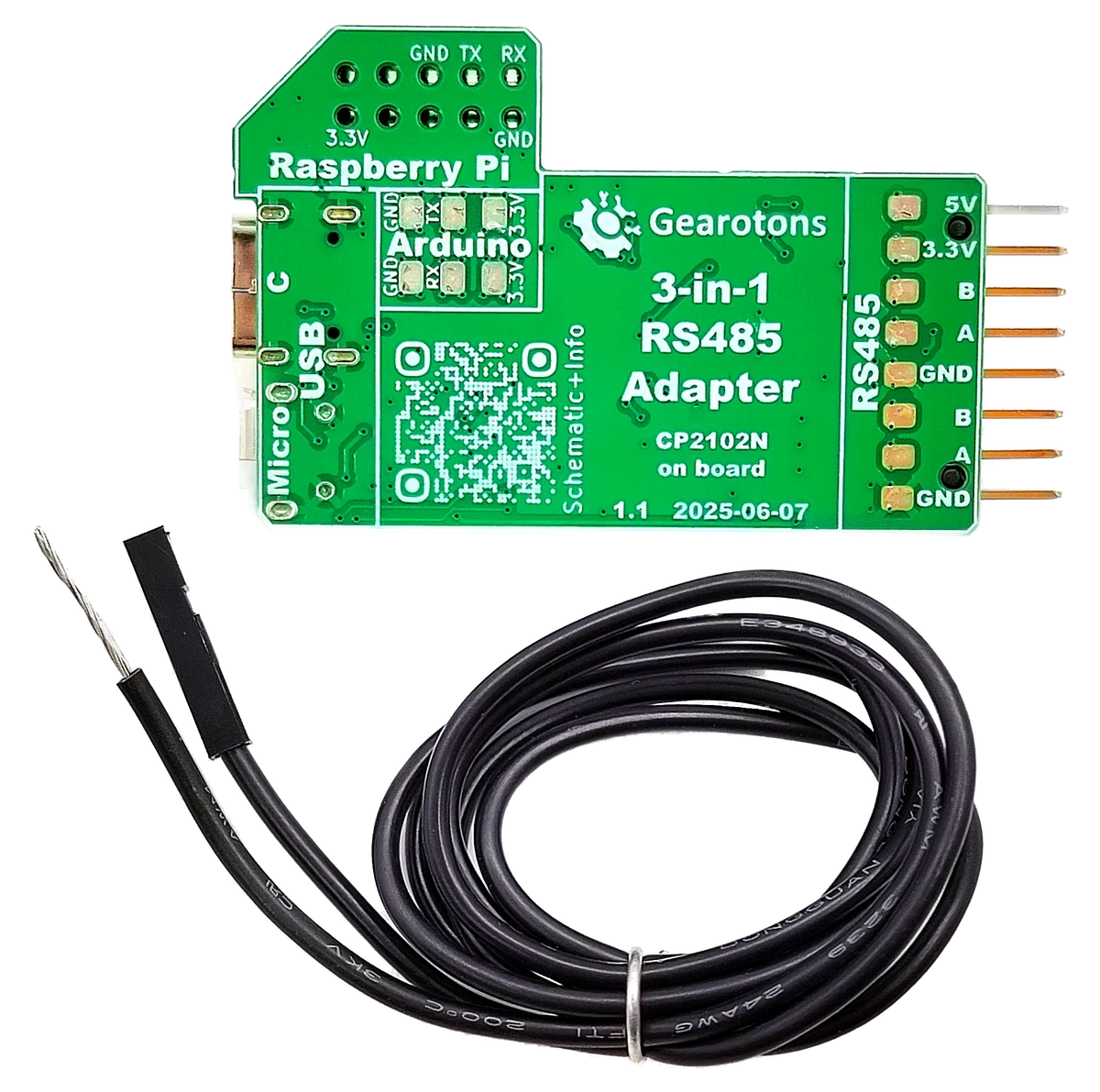
A cable comes with the motor. Add a low-cost RS485 adapter — ours is a 3-in-1 — and the machine on your desk can start moving.
Applications
At home in the lab.
At work on a line.
The same motor teaches a first robotics lesson and holds position on a machine that runs all night.
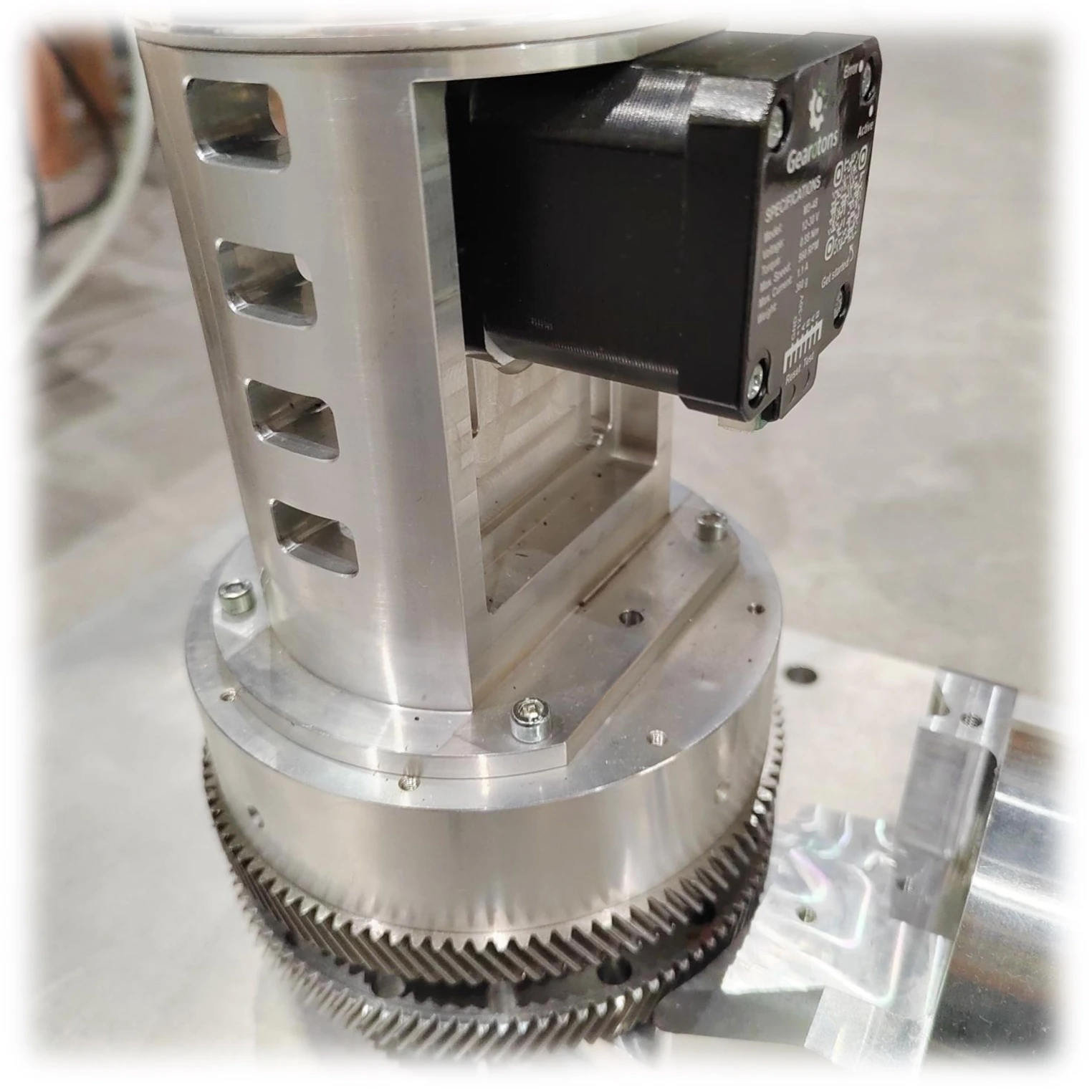
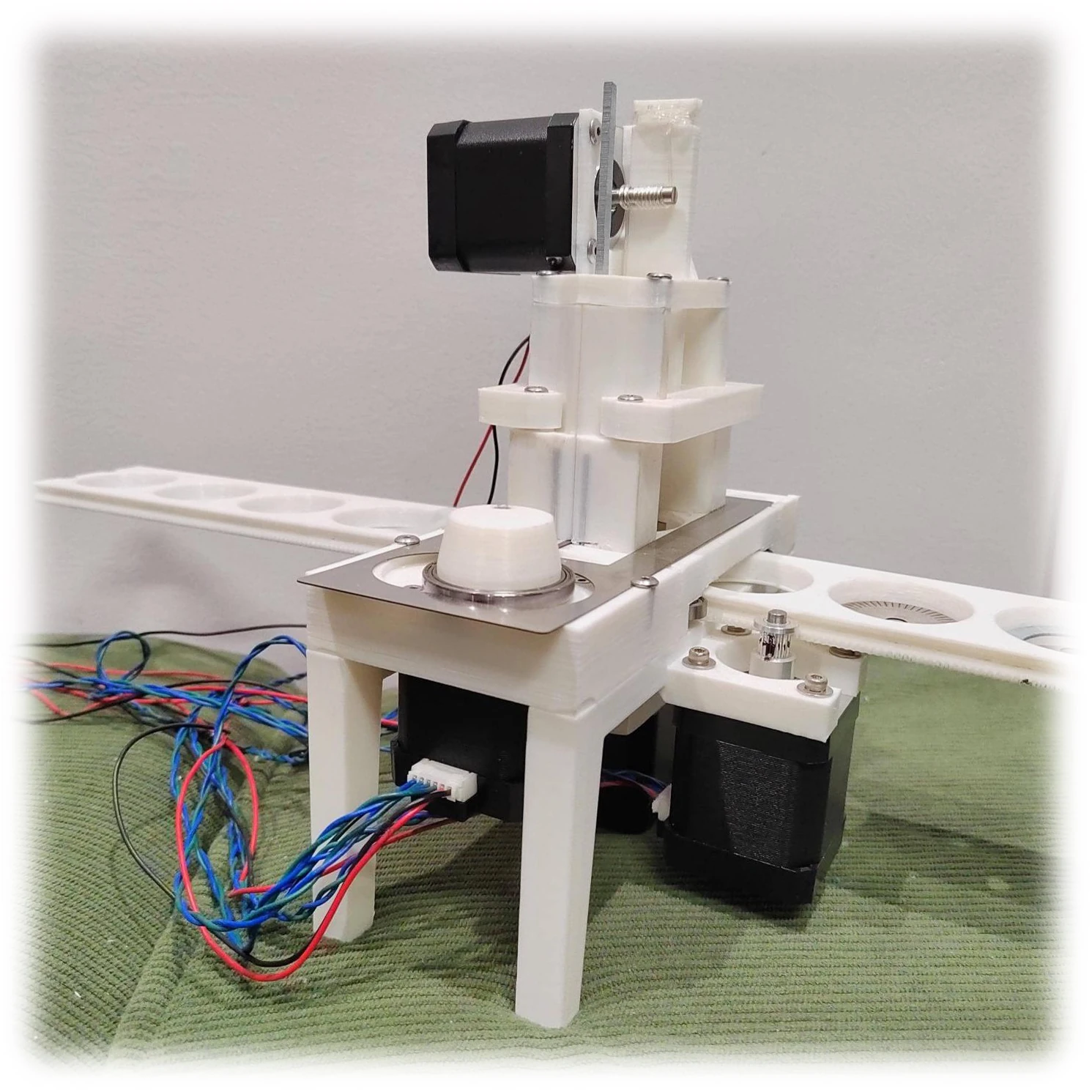
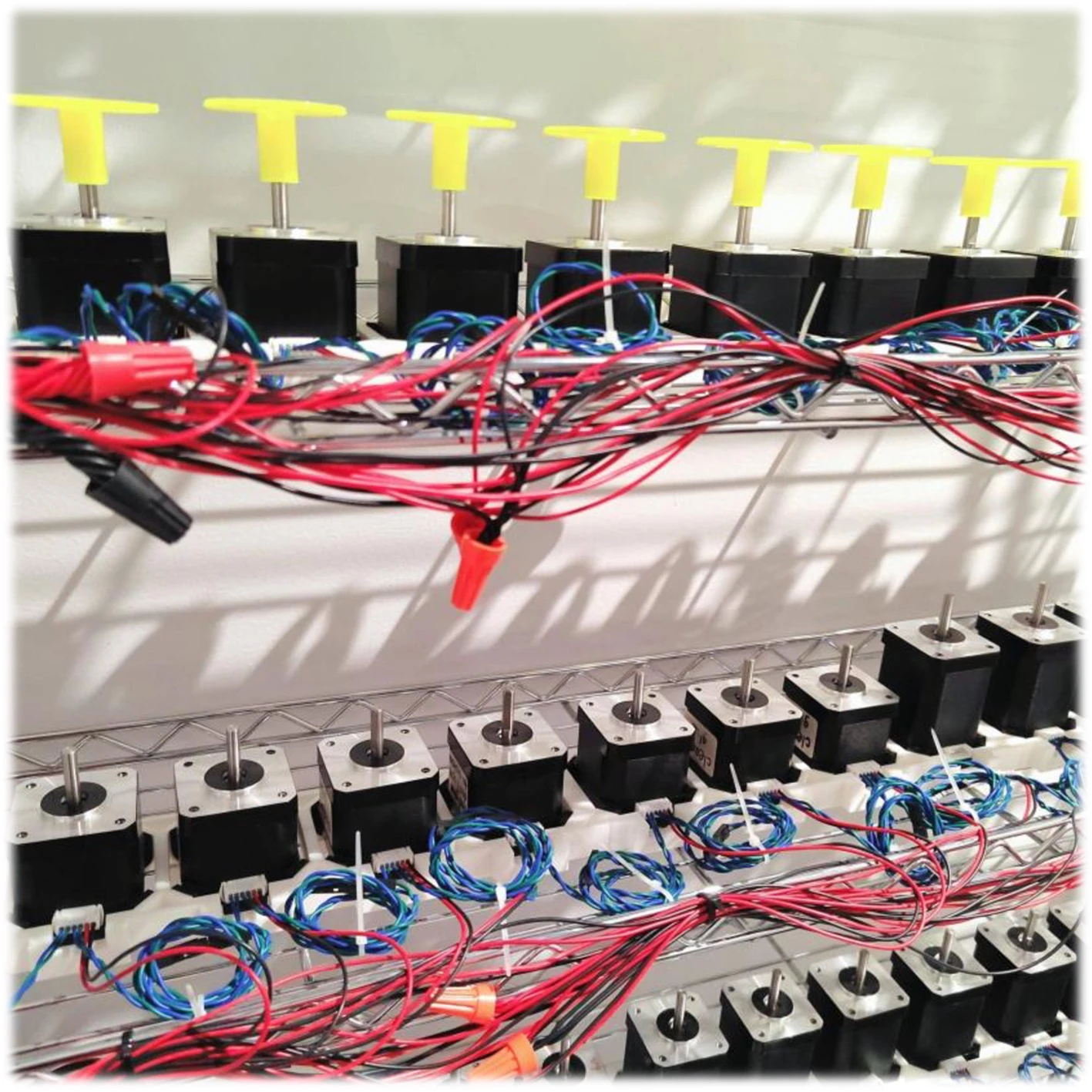
Also at work in scientific instruments, 3D printers, test jigs, and education and teaching labs.
Open by default
Open source.
Down to the PCB.
All software, firmware and PCB design files are published on GitHub. Read them, fork them, build on them.


The company
Founded in 2022.
One simple belief.
Gearotons is an innovative startup committed to making precision motion control accessible to everyone — makers, educators and engineers alike. Founded in 2022 by a Canadian entrepreneur, it focuses on integrated servo motor systems that combine cost-effectiveness, high integration, ease of use and high performance. The M17 Series is our first product.
“We believe in making the world better through technology.” Gearotons
M17 Series Servomotors
Pick your torque.
Start moving.
Four models. One bus. Motor, driver, controller and encoder already in the same housing.
Every model ships with open-source firmware, and the documentation and the Python and Arduino libraries are free.
Shop servomotors